
Pages on the brand’s own system, from Figma to the live site.
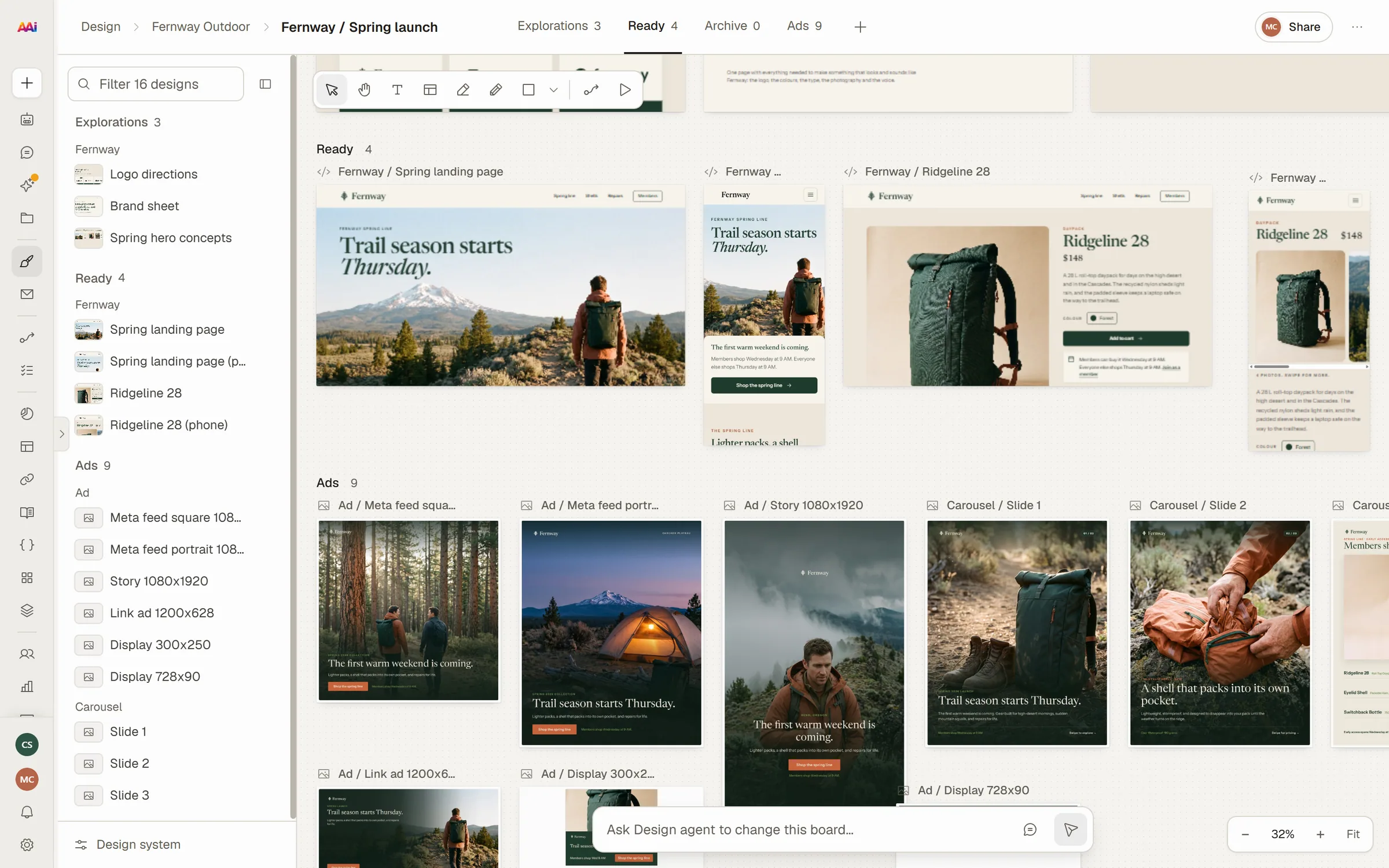
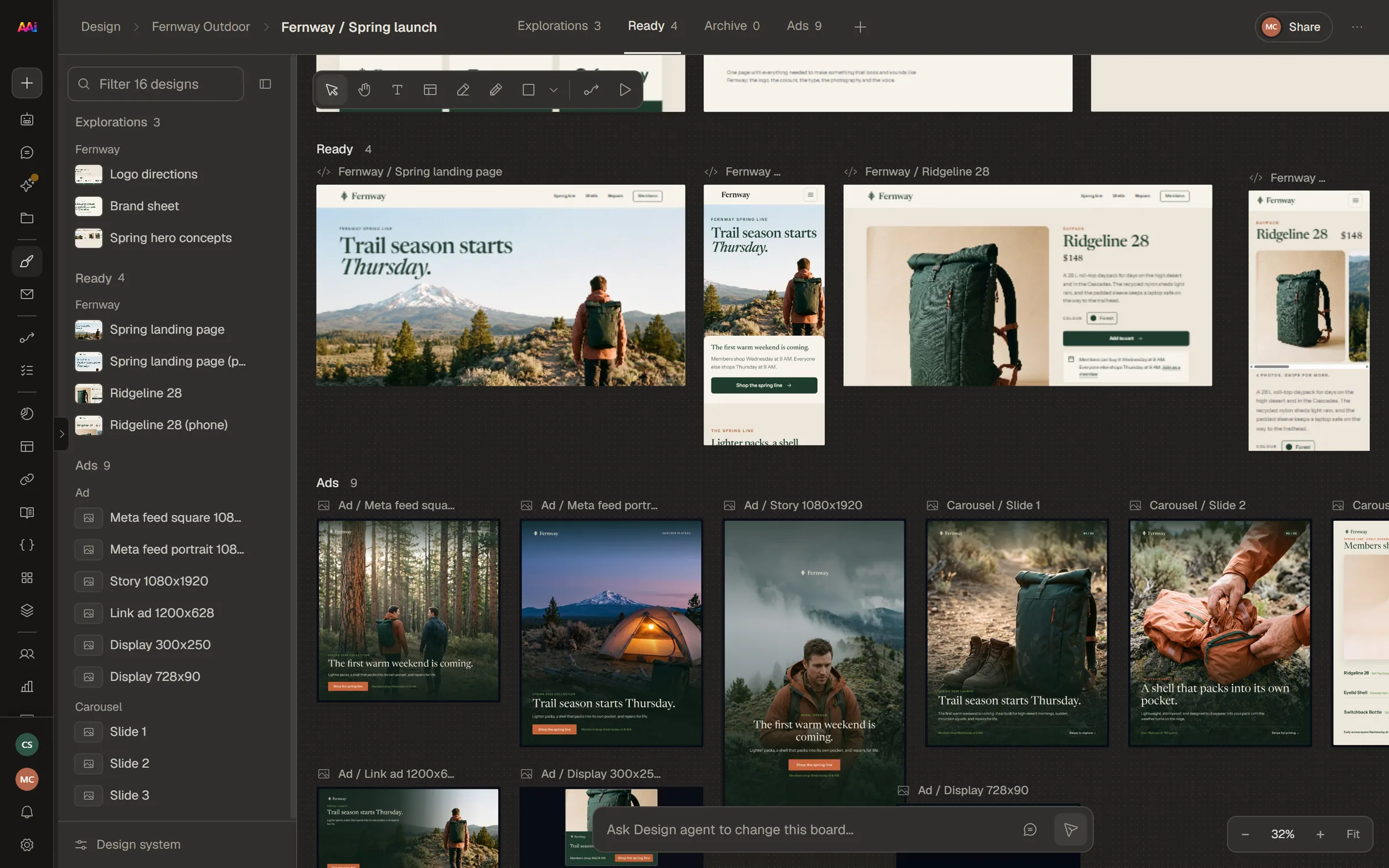
Bring the brand in as a system to build on, from its live site or its Figma file. Pages and banners are built on it, on a Design board; you edit in place, keep the final say, and send the result to Webflow, WordPress or back to Figma.
Where the week goes today
- Half the week goes to resizing, re-exporting and rebuilding pages that already exist.
- The brand’s site is the design system, and nobody wrote it down.
- Every review round is a thread of screenshots and “see attached”.
What changes
Bring the brand’s site in as an exact, editable copy, or its Figma file as a theme and components. Every page on the board builds on that system; you edit in place, without code. Reviewers comment on the frames through one link, and the finished page goes into Webflow, WordPress or back to Figma as a file your designers open.
Four places to start.
From the use case library. Each one runs in the apps below, with a person approving what goes out.
Where the work runs
In the apps you already use.
These jobs run in the tools below, among the 90+ apps built in. Any MCP server covers the rest.
 Figma
 Webflow
 WordPress
 Miro
Read more Design boards →Video →Email →
Kettle & Crumb Bakery, new menu page
Anything that goes out waits for your approval.
Agency AI for other teams
- Agencies Client work that starts from everything you know about the client.
- In-house teams One brand, every channel, and the team that keeps it right.
- Brands with agencies Keep the brand in your hands, whoever makes the work.
- Campaigns and content One brief, a whole campaign, on brand.
- Account management Replies, reports and recaps that know the client.
- New business Pitches built from the work you have already done.
Let the work flow.
Tell us where your team wants help first. A person reads every request and replies from growth@agency-ai.app.